如何更换主控 IP
本文适用于主控服务器不迁移,只更换对外 IP的场景。如果需要迁移主控,请参考如何搬迁主控。
注意
请在旧 IP 仍可用时操作。全部节点更新成功前,不要删除旧 IP。
在主控后台批量修改(推荐)
-
到 Cdnfly 官网将授权 IP 修改为新主控 IP。
-
给新 IP 放行主控后台端口、主控通讯端口;Elasticsearch 同机时还需放行 9200 端口。
-
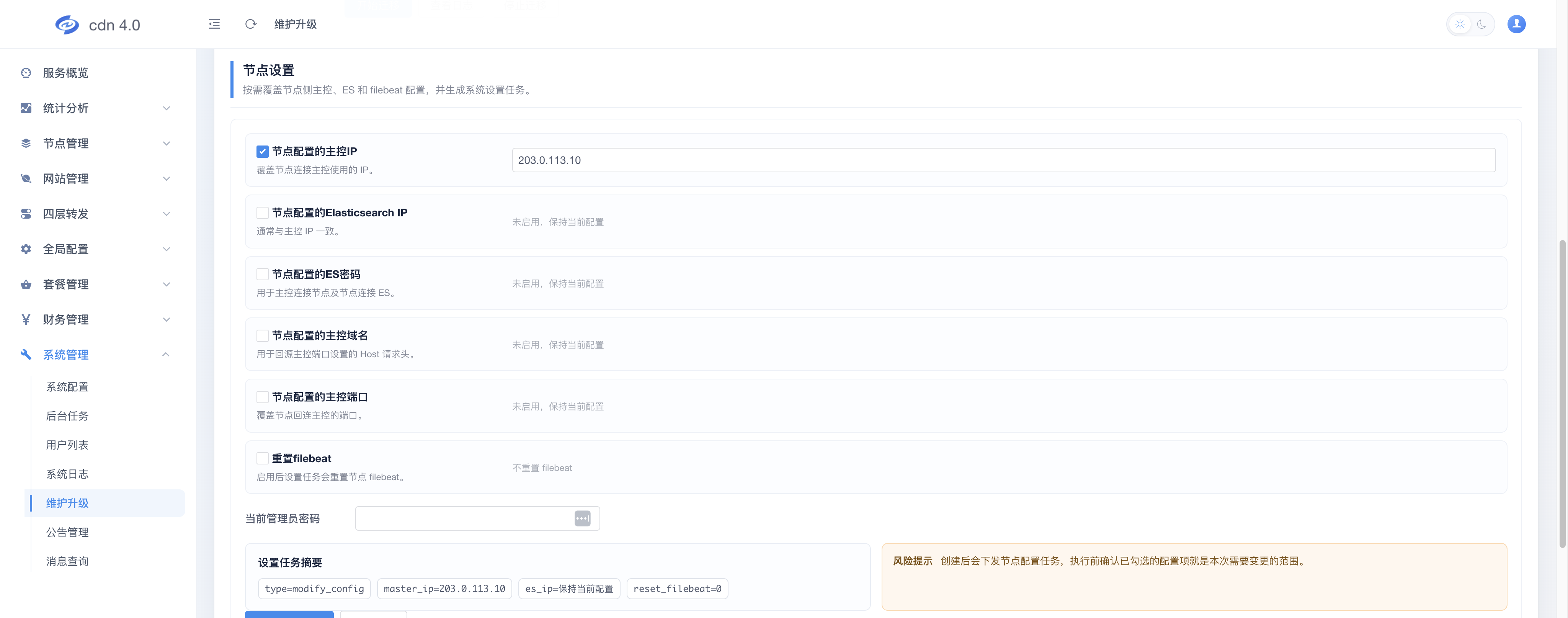
登录主控后台,进入“系统管理”→“系统升级”→“维护操作”。
-
启用“节点配置的主控 IP”并填写新 IP。
-
如果 Elasticsearch 也使用旧主控 IP,同时填写新的 Elasticsearch IP,并启用“重置 Filebeat”;否则不要修改 Elasticsearch 配置。
-
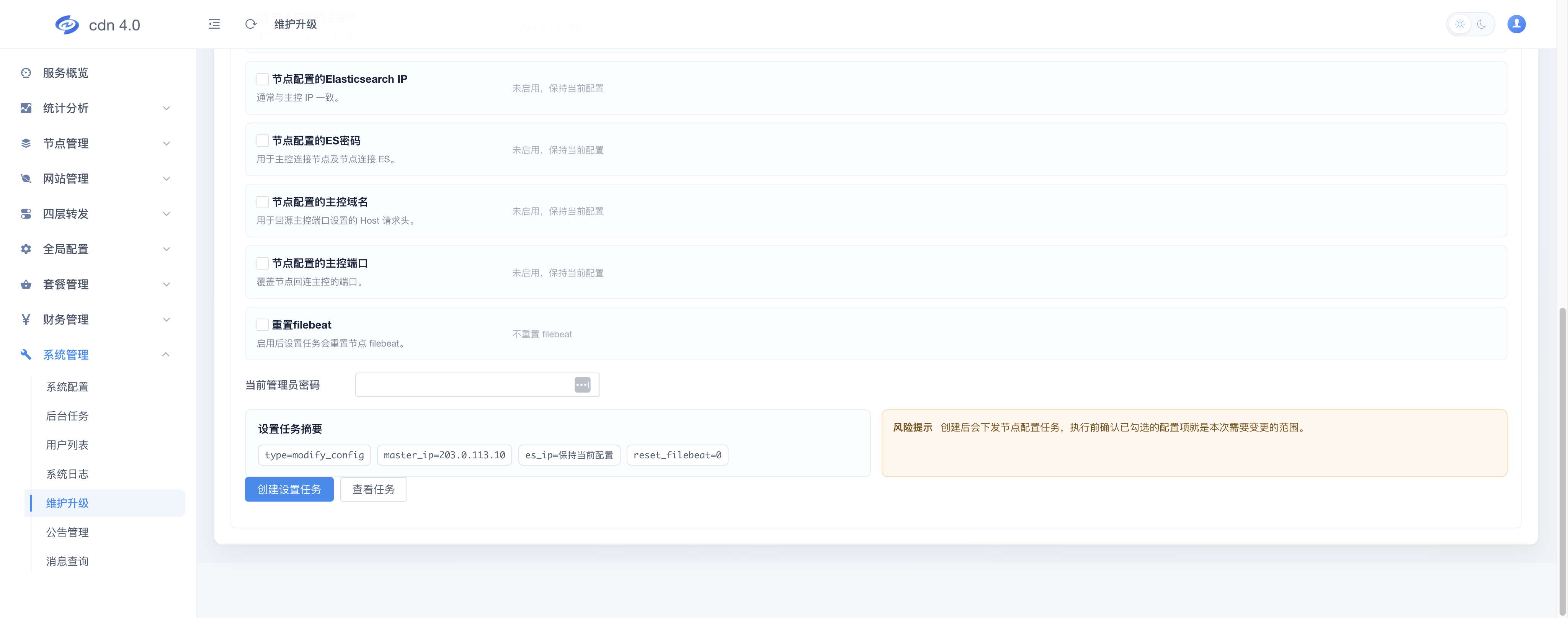
输入管理员密码,点击“创建设置任务”→“查看任务”。全部成功后再停用旧 IP。
使用命令修改节点
后台无法下发任务时,在每台 V6 节点上使用 root 执行。先确认以下变量,然后复制整个代码块一次性执行,不要逐行执行:
new_master_ip:新的主控 IP。new_es_ip:默认与新主控 IP 相同;如果 Elasticsearch 独立部署,请填写其实际 IP。
bash -s <<'CDNFLY_CHANGE_IP'
new_master_ip="203.0.113.10"
new_es_ip="$new_master_ip"

set -euo pipefail

conf="/opt/cdnfly-go/agent/conf/config.yaml"
filebeat="/opt/cdnfly-go/agent/conf/filebeat.yml"
backup_time="$(date +%Y%m%d%H%M%S)"

test -f "$conf"
grep -q '^master:$' "$conf"
cp -a "$conf" "$conf.${backup_time}.bak"

sed -i "/^master:/,/^[^[:space:]]/ s|^\([[:space:]]*\)ip:.*|\1ip: '$new_master_ip'|" "$conf"

if [ -n "$new_es_ip" ]; then
    test -f "$filebeat"
    grep -q '^log:$' "$conf"
    grep -q '^output\.elasticsearch:$' "$filebeat"
    cp -a "$filebeat" "$filebeat.${backup_time}.bak"

    sed -i "/^log:/,/^[^[:space:]]/ s|^\([[:space:]]*\)ip:.*|\1ip: '$new_es_ip'|" "$conf"

    es_host="$new_es_ip"
    case "$es_host" in
        \[*\]) ;;
        *:*) es_host="[$es_host]" ;;
    esac
    sed -i "/^output\.elasticsearch:/,/^[^[:space:]#]/ s|^[[:space:]]*hosts:.*|  hosts: [\"$es_host:9200\"]|" "$filebeat"

    systemctl restart filebeat.service
fi

systemctl restart agent-socket.service agent-task.service
systemctl is-active agent-socket.service agent-task.service
if [ -n "$new_es_ip" ]; then
    systemctl is-active filebeat.service
fi
CDNFLY_CHANGE_IP
命令会在独立的 Bash 子进程中运行,并在原目录生成带时间戳的 .bak 备份。即使执行失败,也不会退出当前 SSH 登录 Shell。
检查结果
grep -A3 '^master:' /opt/cdnfly-go/agent/conf/config.yaml
journalctl -u agent-socket.service -u agent-task.service -n 50 --no-pager
确认主控后台中的节点保持在线;如果修改了 Elasticsearch IP,再确认访问日志和监控数据正常。