节点报空间不足如何清理
手动清理
1. 清空访问日志
登录节点服务器,执行如下命令(与 v6 节点程序的清理逻辑一致):
log_dir=$(grep access_log /usr/local/openresty/nginx/conf/nginx.conf | grep "\baccess\b" | awk '{print $2}' | sed 's/access.log//g');
cd $log_dir;
rm -f access.log-* stream.log-* error.log-*;
cat /dev/null > access.log;
cat /dev/null > error.log;
cat /dev/null > stream.log;
之后执行 df -h 查询各分区占用情况,如果 / 分区占用还没有下降,再执行下面的清空缓存命令。
2. 清空网站缓存
cache_dir=$(grep proxy_cache_path /usr/local/openresty/nginx/conf/nginx.conf | awk '{print $2}' | tr -s '/');
if [[ "$cache_dir" != "" && "$cache_dir" != "/" ]]; then rm -rf ${cache_dir}/*; fi;
设置自动清理
清理之后,建议开启自动清理策略:进入 全局配置 → 防火墙配置 → CC全局配置,找到 自动清理节点日志,按需选择(选择后立即保存):
- 不清理(默认)
- 节点空间不足时,清空访问日志
- 同时清空访问日志和缓存
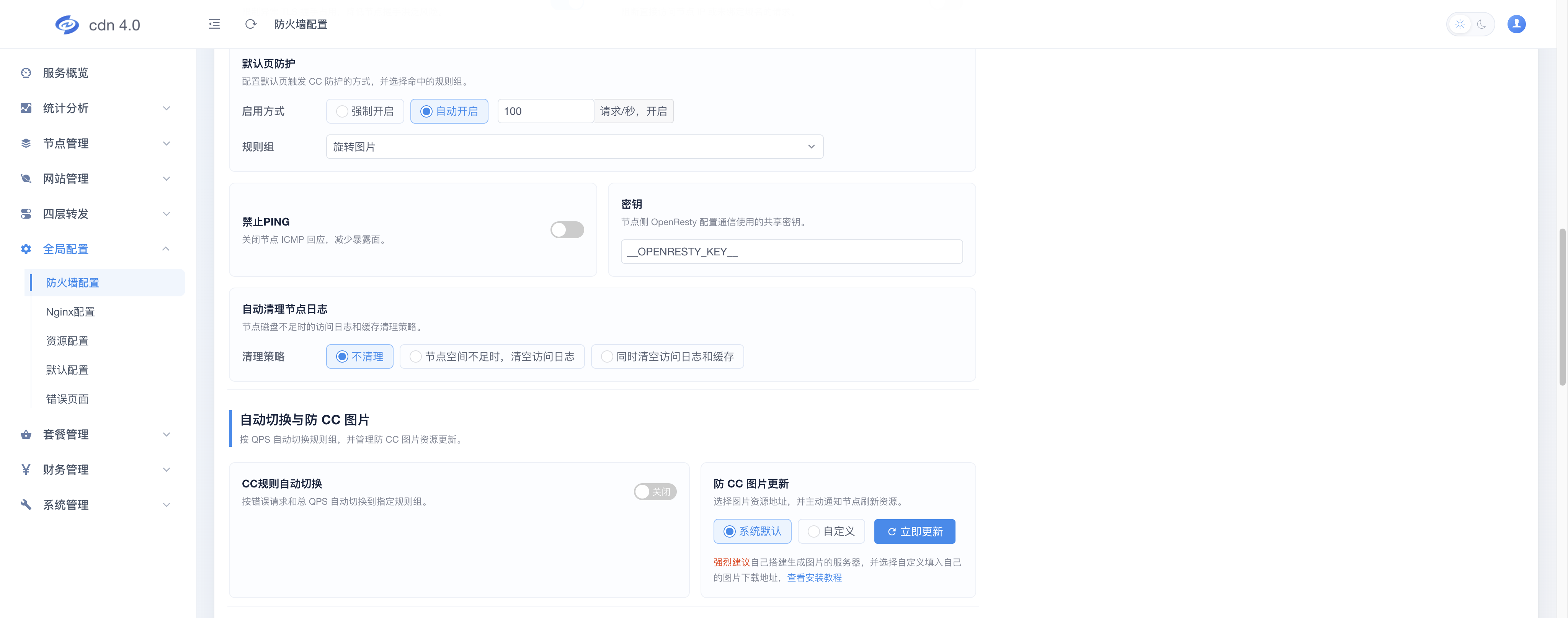
提示:如需按分区单独设置,可在 防火墙配置 → 区域及节点配置 中为指定分区或节点添加"自动清理节点日志"配置项。